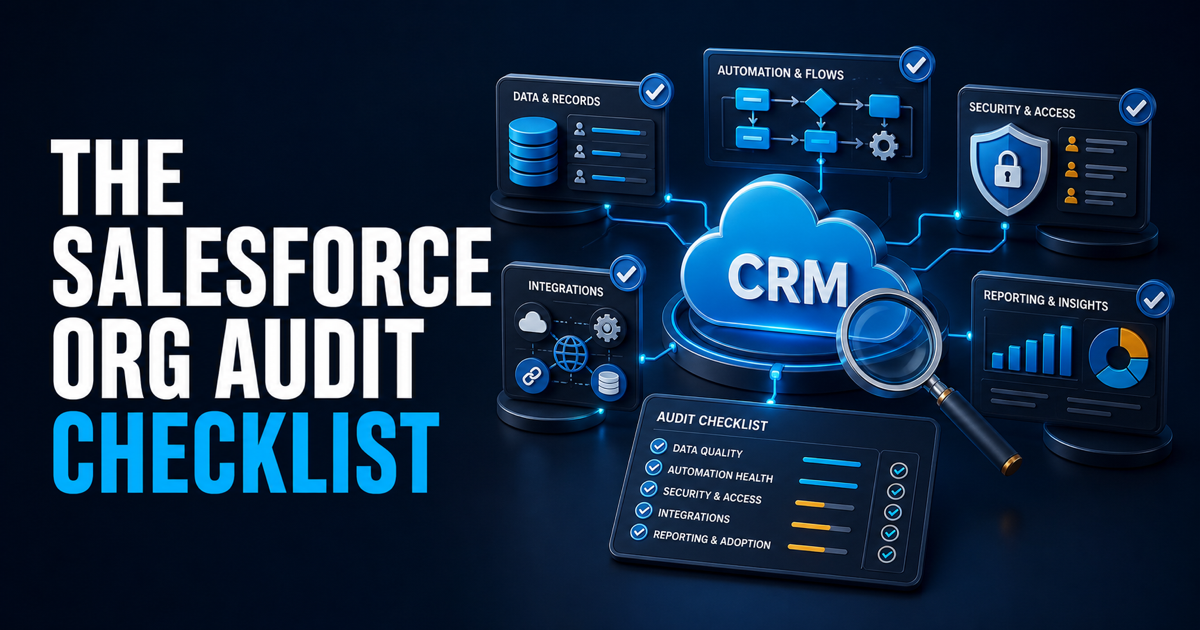
A Salesforce org audit checklist should tell you what is broken, what is merely annoying, what is creating business risk, and what is worth fixing first. It should not begin with a predetermined solution.
Before recommending new automation, a redesign, another app, or a large cleanup project, I want evidence across eight areas: business process, data, security and access, automation, integrations, reporting, adoption, and governance. The output should be a prioritized action plan tied to operational impact, not a giant spreadsheet of metadata with no decision attached.
Salesforce provides useful native tools, but they answer narrower questions. For example, Salesforce Health Check compares security settings with a baseline. A full Salesforce org audit checklist has to go further and evaluate whether the system actually supports how the company sells, serves customers, and reports on revenue.
Start With the Business Process, Not Setup
The fastest way to misdiagnose Salesforce is to inspect configuration before understanding the operating model.
I start by mapping how work is supposed to move from first touch through closed business, onboarding, renewal, and expansion. Then I compare that intended process with what users actually do. If the real process lives in spreadsheets, Slack messages, inboxes, and side systems, the org is not the source of truth no matter how polished the dashboards look.
Questions to answer:
What are the major revenue processes Salesforce is expected to support?
Where does ownership transfer between marketing, sales, customer success, finance, and operations?
Which decisions depend on Salesforce data?
Which steps happen outside the CRM, and why?
Where do users create manual workarounds?
Which fields, approvals, and stages exist because of an old process that no longer applies?
This step separates system problems from process problems. As I explain in Your CRM Isn't Broken. Your GTM Motion Is., Salesforce often becomes the scapegoat for an operating model that was never clearly designed.
Audit the Data Model and Data Quality
Next, inspect whether the org captures the right information at the right level. More fields do not create better data. A healthy model makes ownership, relationships, lifecycle state, and reporting logic obvious.
Review:
Standard and custom objects, including overlapping objects that represent the same business concept
Required fields and whether they are required at the correct point in the process
Picklist values, duplicate values, unused values, and values with ambiguous definitions
Account, contact, lead, opportunity, contract, and product relationships
Duplicate-management rules and matching logic
Record ownership, inactive owners, queues, and orphaned records
Data completeness for fields used in routing, automation, forecasting, segmentation, and reporting
Archival, retention, backup, and deletion practices
Do not grade every missing field equally. A blank field that nobody uses is clutter. A blank field that controls lead routing, renewal timing, or forecast categorization is an operational risk.
The audit should identify both structural problems and behavioral symptoms. If a field is consistently ignored, determine whether users need better training, whether the field appears at the wrong time, or whether the field should not exist at all.
Review Security, Access, and Administrative Risk
Security is part of the audit, but it should not be reduced to a single score.
Run Salesforce's native Health Check, review login and access policies, and inspect how permissions are actually granted. Then look for administrative practices that make the org difficult to control.
The checklist includes:
Organization-wide defaults, sharing rules, roles, groups, and manual sharing
Profiles, permission sets, and permission set groups
Users with powerful administrative permissions
Inactive users, integration users, shared credentials, and unclear service-account ownership
Connected apps, OAuth access, certificates, secrets, and expiring credentials
Login history, Setup Audit Trail, and unusual access patterns
Sandbox access and production deployment permissions
Whether access decisions are documented and reviewed on a consistent cadence
A configuration can be technically valid and still be risky because nobody knows why it exists or who owns it. Document the business reason for elevated access and assign a named owner to every integration identity.
Inventory Automation Before Adding More
Automation audits tend to fail when teams count flows instead of evaluating how they behave together.
Build an inventory of record-triggered flows, scheduled flows, screen flows, Apex triggers, workflow remnants, approval processes, validation rules, and package automation. For each item, capture the object, trigger condition, owner, purpose, dependencies, failure path, and current usage.
Then look for:
Multiple automations updating the same field
Unclear order of execution or circular updates
Hard-coded IDs, email addresses, dates, or business rules
Flows with no fault handling or operational alerting
Automation owned by inactive users
Duplicate logic spread across flows, code, integrations, and managed packages
Scheduled jobs that run more often than the business needs
Logic that exists only to compensate for a broken upstream process
Tests that do not cover the paths most likely to fail
The recommendation is not automatically to consolidate everything into one giant flow. The goal is clear responsibility, predictable execution, testability, and safe change management.
Trace Every Important Integration End to End
An integration diagram is useful only when it reflects what is running now.
For each connected system, document the system of record, objects and fields exchanged, direction, frequency, authentication method, transformation logic, error handling, retry behavior, monitoring, and business owner.
Pay particular attention to:
Marketing automation and lead-source data
Product, billing, CPQ, and finance systems
Data enrichment and intent providers
Customer success and support platforms
Data warehouse and business-intelligence pipelines
Sales engagement and conversation-intelligence tools
Middleware, point-to-point connections, and manual imports
Look for silent failures, duplicated records, timestamp conflicts, field overwrites, and integrations that depend on one person knowing how to restart them. If an integration breaks and nobody notices until a dashboard looks wrong, monitoring is part of the problem.
Test Reporting and Forecasting From the Metric Backward
Do not audit dashboards by asking whether they look good. Pick the decisions leadership makes and trace every metric back to its source fields and operating definitions.
For each critical report or dashboard, confirm:
The metric has a written definition
The filters match that definition
Required source fields are populated consistently
Opportunity stages and forecast categories have clear entry and exit criteria
Historical changes are retained when trend reporting depends on them
Currency, fiscal periods, territories, and ownership rules are handled correctly
Executives and frontline managers are not using conflicting versions of the same KPI
Dashboard access and refresh schedules match the audience
If leadership exports data to rebuild the number in a spreadsheet, the audit should explain why. Sometimes the report is wrong. Sometimes the process producing the data is inconsistent. Fix the correct layer.
Observe Adoption in the Workflow
Login counts alone do not tell you whether Salesforce is working.
Watch how different roles complete real tasks: converting a lead, updating an opportunity, requesting approval, creating a quote, handing off a new customer, recording a renewal, and escalating an exception. Note unnecessary clicks, duplicate entry, missing context, confusing terminology, and steps that force users into another tool.
Review:
Page layouts, dynamic forms, record types, and role-specific experiences
Mobile use where it matters
Searchability and record naming conventions
Required fields that interrupt work without improving data quality
Training materials and embedded guidance
Support requests and repeated user questions
Features that were launched but never adopted
Manual work users believe Salesforce should handle
Low adoption is often rational behavior. If the system slows people down or asks for information before they can reasonably know it, training alone will not solve the problem.
Examine Governance and Technical Debt
The last area is the operating discipline around Salesforce itself.
Check whether the company has:
Named business and technical owners
A documented intake and prioritization process
Release planning and a safe deployment path
Sandbox strategy and representative test data
Version control where appropriate
Regression testing for critical processes
Naming and documentation standards
A deprecation process for fields, reports, automation, and integrations
A cadence for reviewing access, data quality, failures, and platform changes
Technical debt is not simply old configuration. It is configuration that increases the cost or risk of making the next change. A ten-year-old field with a clear purpose may be fine. A flow built last month with no owner, no fault handling, and duplicate logic is already debt.
Turn Findings Into a Prioritized Action Plan
An audit is only useful if it leads to decisions.
For every finding, record the evidence, affected process, business impact, risk of leaving it alone, dependencies, recommended action, expected effort range, and accountable owner. Then group the work into four practical categories:
Stabilize now: security exposure, failing integrations, broken revenue processes, or unreliable executive reporting
Simplify next: duplicate automation, confusing fields, unnecessary record types, and avoidable manual work
Improve deliberately: architecture, data model, adoption, and reporting changes that require design decisions
Monitor or leave alone: low-impact issues that are not worth disrupting the org to fix
Do not hide prioritization inside a color-coded score. Leadership needs to understand what changes first, why it matters, and what can wait.
What the Final Audit Deliverable Should Include
A useful Salesforce org audit should produce:
A current-state process and systems map
An inventory of material automation and integrations
A risk register with supporting evidence
A prioritized remediation backlog
Quick wins separated from architecture work
Owners and dependencies for each major recommendation
A proposed 30-, 60-, and 90-day sequence
Clear items that should not be changed yet
The deliverable should be understandable to both system administrators and business leadership. If it only makes sense to the person who performed the audit, it is not operational documentation.
Use a Fast Diagnostic Before Commissioning a Full Audit
Not every company needs a full assessment immediately. If the main concern is data completeness, opportunity health, account engagement, or rep activity, start with the CRM Hacker CRM Health Grader. It can help surface where deeper investigation is warranted without pretending that one score replaces an operational audit.
If the problems span process design, automation, integrations, reporting, and governance, that is when a structured Salesforce consulting assessment becomes useful. The goal is not to create a longer list of problems. It is to create a defensible order of operations.
About CRM Hacker
CRM Hacker helps scaling companies build Salesforce, RevOps, and AI-ready revenue systems that reduce operational chaos and improve visibility. Explore our Salesforce consulting services or Contact CRM Hacker to talk through what your org needs next.